After every run
Empty the dust bin before it is completely full. An overfilled bin reduces suction power. With docks that empty the bin by themselves, just keep an eye on the bag in the dock.
Check the brushes too. If a cable, a shoelace or long hair gets wound around them, remove it straight away, otherwise the brush motor is needlessly overloaded. If your vacuum also mops, rinse the mop after every run and let it dry.
Once a week
- Main brush: take it out and remove tangled hair and fibres, especially at the ends by the bearings. Scissors or the cleaning tool that usually comes with the vacuum will help.
- Side brush: check that hair isn't building up underneath it and that its bristles aren't bent.
- Filter: tap it out over the bin. Many filters must not be washed with water, so follow the manual.
- Sensors: with a soft dry cloth, wipe the sensors on the underside (they watch out for stairs), the windows on the bumper and, on vacuums with a camera or laser, their cover as well.
- Charging contacts: wipe the contacts on both the vacuum and the dock so that it charges reliably.
Once a month
- Front wheel: pull it out and clean hair and dust from the axle. A stuck wheel slows the vacuum down and puts unnecessary strain on the wheel motors.
- Drive wheels: wipe the tread and check that the wheels turn and spring freely.
- Water tank: on vacuums that mop, rinse it out so that it doesn't start to smell.
Consumables: when to replace them
The filter, brushes and mopping pads wear out even with good care. On newer models the app will remind you when it is time to replace them; otherwise follow the manual. You can tell a worn filter by the fact that it no longer taps out clean, and a worn brush by its bent or broken bristles.
Battery: how to look after it
A battery ages with every charge and with time. But what harms it most is heat and deep discharge.
- Place the charging dock away from radiators and direct sunlight.
- Unless the manufacturer recommends otherwise, leave the vacuum on the dock between runs.
- If you won't use it for a while, say over the holidays, charge it and store it somewhere dry and cool. A completely flat battery left lying for a long time may not wake up again.
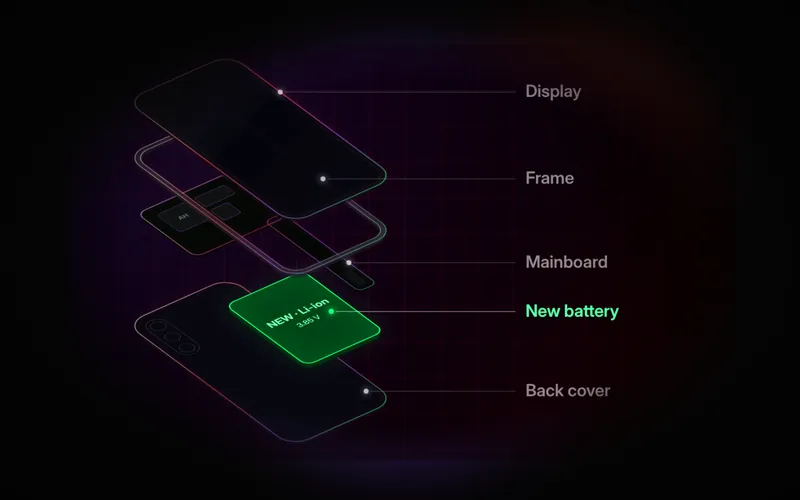
You can tell the battery is nearing the end of its life when the vacuum cleans only part of your home and goes back to charge, or doesn't make it back to the dock at all. Battery replacement is one of the most common robot vacuum repairs. But we always check first that the problem is not in the charging electronics or the dock.
When to bring the vacuum in for a service
- it doesn't charge or can't find its charging dock
- it spins on the spot, backs up or bumps into obstacles
- it reports a wheel, brush or suction error even after cleaning
- it doesn't pick up dirt even with a clean filter and brushes
- it rattles, is noisy or smells of burning (in that case switch it off immediately)
We repair iRobot Roomba, Roborock, Xiaomi, RobZone and LG HomeBot vacuums. You will find the details on our robot vacuum repair page, and Roombas have a page of their own.